Heads Threat model
Table of contents
- Heads Threat Model
- What makes Heads different
- Who We Trust
- Evil Maid Attacks and Physical Threats
- Per-Board Protection Status
- Firmware Security and Boot Integrity
- Threat Model
- Internal Threats
- Enterprise Security vs Cypherpunk Security
- Countermeasures
- CPU Vulnerabilities and Microcode
- Mitigation on EOL Platforms
- Binary Blobs, ME, and Peripheral Firmware
- Upgrades and Bug Fixes
- Further Learning
- References
Heads Threat Model
What makes Heads different
The threat model that Heads proposes to address is very different from that of Tails. Tails’s goal is to allow users to do computation on a machine in a way that doesn’t leave in trace on that system. This requires that the hardware in the system is trusted, which unfortunately is not the case for many users. Additionally many users need a way to keep state in a permanent way and don’t want to expose this state to random machines. Their machines might be subject to physical attacks that might install untrusted firmware or other devices into the system. Examples include:
For these reasons, Tails is not sufficient for many users who want a laptop that they can travel with and want to have some assurances that most adversaries won’t be able to modify the hardware underneath them.
Complicating this goal is that modern x86 hardware is full of modifiable state State considered harmful, Rutkowska 2015 and it is full of dusty corners that can hide malware or unauthorized code. Additionally there is unverifiable code running in the Intel Management Engine, which has access to memory, to the network and various other peripherals. As a result we must trust certain entities more than others and this does affect our threat model.
This document discusses some of the threats that make building slightly more secure mobile systems very difficult. There is a separate Heads FAQ as well as a guide on installing Heads on the Thinkpad x230, which covers the practical issues of hardening a laptop against some of the threats described here.
Who We Trust
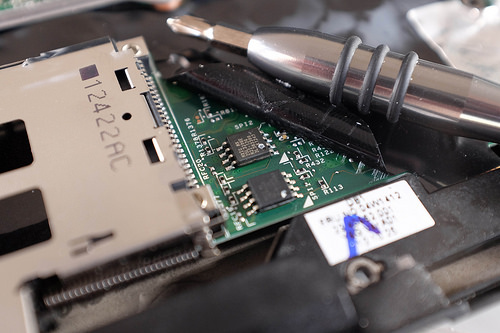
As we consider building secure hardware, it is very important to keep in mind that there are some parties that we are forced to trust to some degree. There are countermeasures (discussed later) that we can take to reduce the amount of trust that we place in some of these parties, as well as ways to verify that they are well behaved. Unfortunately the root of trust in the CPU manufacturer is hard to get around.
- Intel (or other CPU manufacturer)
- Management Engine
- Microcode updates
- Both are opaque and unknown outside of Intel
- TPM manufacturer
- Infineon/STM/etc
- Might have a bad RNG, undocumented commands to leak keys, etc
- Might have government mandated backdoor (country dependent)
- LPC or i2c bus can be snooped
- Laptop manufacturer
- Backdoors or malware in the BIOS Computrace Lenovo Malware
- Did they install extra devices on the LPC bus?
- Is there a key logger built into the keyboard?
- Funtennas for data leakage through motherboard traces Funtenna uses software to make embedded devices broadcast data on radio frequencies, Ang Cui 2015
- Peripheral manufacturer
- Firmware in drives, NICs, etc
- IOMMU is necessary to limit device access (but this does not always work
- against hostile devices)
- Known target for “Equation Group” The Equation Group, Kaspersky 2015 Devices should never be presented with clear text data
- Reseller
- Devices might be tampered with in shipment NSA “upgrade” factory, Snowden 2014
- OptionROMs, firmware updates, etc
- ANT catalog implants Shopping for Spy Gear: Catalog Advertises NSA Toolbox, Spiegel 2013
- Deliberate misconfiguration
- System Administrators
- Protection of Key escrow for storage keys
- Deliberate tampering with HW/SW config
- Can we implement two-key authentication to reduce chance of backdoors?
Evil Maid Attacks and Physical Threats
Safes are rated in hours/minutes that a safe cracker requires to break into it. Likewise some physical attacks can be done in a few seconds with only external access, while others require disassembly of the device and hours of effort. However, as Schneier says “Attacks only get better” New Cryptanalytic Results Against SHA-1, Scheiner 2005 , so time estimates for various methods are an upper bound. Likewise attacks that are be limited to nation state adversaries today might be more practical for average attackers in a few years time.
An insider threat is especially difficult to counter since they have unrestricted access to the device and can spent an arbitrary amount of time, effort and expertise on breaking into it. Additionally, they potentially have access to all of the keys that are not stored in non-exportable hardware (and depending on their level of expertise they might be able to get them).
Some threats assume that the adversary will modify the hardware, install hardware or software measures, and return it to the owner. This is very similar to an insider threat in that the machine will be returned to the owner and possibly used to access private data while there might be unauthorized code executing on the system.
The “Evil Maid” attack was coined by Joanna Rutkowska in 2009 and named for a hotel maid or office cleaner who gains brief unsupervised physical access. The classic attack: the maid boots the target laptop from a malicious USB stick, infects the bootloader with a keylogger in under two minutes, and leaves the laptop where it was found. When the owner returns and types their disk encryption passphrase, it is captured. Heads addresses this with TPMTOTP attestation – the firmware must prove its integrity to the user before any passphrase is entered.
Related advanced attacks to be aware of:
Relay attack: An attacker steals the laptop and leaves an identical-looking malicious device in its place. The decoy relays the TPMTOTP code from the real laptop to the user, who verifies the OTP as correct and enters their passphrase – which is then relayed to the attacker holding the real device. This attack is difficult to defend against, but D-RTM and time/distance bounding protocols are areas of active research.
TOTP secret extraction: The TOTP shared secret must be unsealed from the TPM to compute the 6-digit code, meaning it temporarily resides in RAM. If an attacker gains physical access to the TPM, they can manually extend PCR values to a known-good state and extract the secret. A stolen TOTP secret allows an attacker to build a replica device that generates valid OTP codes. HOTP uses the same shared secret on TPM backed builds. Heads unseals it from the TPM and computes the code it sends to the dongle, so an extracted secret can forge that code too. Boards without a TPM derive the HOTP secret from the ROM hash instead.
Suspend (S3) attack: Heads verifies integrity at cold boot but does not re-verify on resume from suspend. An attacker with brief physical access could compromise a suspended system and leave a malicious lock screen prompt. Best practice: shutdown (not suspend) when moving between security domains, and use distinct passphrases for FDE decryption and screen unlock.
- Brief external physical access, with owner present
- Customs
- Brief external physical access, without owner present
- Classic “Evil Maid” – bootloader infection, BIOS reflash
- Relay attack via substitute device
- Customs, in some countries
- Brief internal physical access
- Customs
- Specialized “Evil Maid”, coldboot attacks
- Suspend-to-RAM compromise
- Extended external physical access
- Checked luggage
- Extended internal physical access
- Insider threat
- TAO “Evil Maid” or checked luggage
- Unbounded internal physical access
- Theft
- Insider threat
For practical guidance on making hardware tamper-evident to detect these attacks, the anarsec tamper-evident guide provides detailed, tested techniques:
- Glitter nail polish on laptop case screws, photographed at known angles and verified with the Blink Comparison Android app for quick before/after comparison.
- For travel and storage: store devices in transparent containers filled with a colorful lentil/bean mosaic; photograph all six sides for later verification.
- Tails USB: use a drive with a physical write-protect switch, and always boot with it locked to prevent a compromised session from infecting the USB itself. These low-tech methods are a critical complement to Heads’ firmware integrity verification – defense in depth means every layer counts.
Per-Board Protection Status
The TPM GPIO reset vulnerability (upstream coreboot bug #576) affects TPMTOTP evil maid detection and HOTP USB security dongle authentication on platforms where coreboot does not lock the PCH GPIO pad configuration. The TPM Disk Unlock Key with passphrase is not affected on any platform.
Heads itself is not vulnerable – the fix must come from coreboot. See the technical document for details.
| Board | CPU generation | EOL/ESU status | Evil Maid detection (TPMTOTP attestation) | Disk encryption (TPM DUK + passphrase) | USB Security Dongle (HOTP authentication) |
|---|---|---|---|---|---|
| Acer Chromebook Spin 714 (KANO) | 12th Gen Alder Lake | Active | ✅ Protected | ✅ Protected | ✅ Protected |
| HP Z220 CMT | 3rd Gen Ivy Bridge | ⚠️ EOL (no official ESU date; last microcode 2019-05-14) | ✅ Protected | ✅ Protected | ✅ Protected |
| KGPE-D16 | AMD Family 15h | Unmaintained (reference only) | ✅ Protected | ✅ Protected | ✅ Protected |
| Librem 11 (Purism) | Jasper Lake | Active | N/A (no TPM hardware) | N/A (no TPM) | N/A (ROM-hash HOTP) |
| Librem 13v2/v4, 15v3/v4 (Purism) | 5th-6th Gen Broadwell/Skylake | ⚠️ EOL varies | ❌ Not protected | ✅ Protected | ❌ Not protected |
| Librem 14 (Purism) | 8th-10th Gen Coffee Lake | Active | ❌ Not protected | ✅ Protected | ❌ Not protected |
| Librem L1UM v1 | 5th Gen Broadwell | ⚠️ EOL Jun 30, 2021 | ✅ Protected | ✅ Protected | ✅ Protected |
| Librem L1UM v2 (Purism) | 9th Gen Coffee Lake | Active | ❌ Not protected | ✅ Protected | ❌ Not protected |
| Librem Mini v1 (Purism) | 8th Gen Whiskey Lake | ⚠️ ESU Mar 31, 2026 | N/A (no TPM hardware) | N/A (no TPM) | N/A (ROM-hash HOTP) |
| Librem Mini v2 (Purism) | 10th Gen Comet Lake | Active | N/A (no TPM hardware) | N/A (no TPM) | N/A (ROM-hash HOTP) |
| M900 Tower | 6th Gen Skylake | ⚠️ EOL Sep 30, 2022 | ❌ Not protected | ✅ Protected | ❌ Not protected |
| MSI Z690-A, Z790-P | 12th-14th Gen | Active | ❌ Not protected | ✅ Protected | ❌ Not protected |
| NovaCustom NV4x, NitroPad NS50 ² | 12th Gen Alder Lake-P | Active | ❌ CONFIRMED (vulnerable) | ✅ Protected | ❌ CONFIRMED (vulnerable) |
| NovaCustom V540tu/V560tu | 14th Gen Meteor Lake | Active | ✅ Protected | ✅ Protected | ✅ Protected |
| Optiplex 7010/9010 | 3rd Gen Ivy Bridge | ⚠️ EOL (no official ESU date; last microcode 2019-05-14) | ✅ Protected | ✅ Protected | ✅ Protected |
| T420 | 2nd Gen Sandy Bridge | ⚠️ EOL (no official ESU date; last microcode 2019-05-14) | ✅ Protected | ✅ Protected | ✅ Protected |
| T430 | 3rd Gen Ivy Bridge | ⚠️ EOL (no official ESU date; last microcode 2019-05-14) | ✅ Protected | ✅ Protected | ✅ Protected |
| T440p | 4th Gen Haswell | ⚠️ EOL Jun 30, 2021 | ✅ Protected | ✅ Protected | ✅ Protected |
| T480, T480s, X280 | 8th Gen Kaby Lake-R | ⚠️ ESU Mar 31, 2026 ¹ | ❌ Not protected TPM GPIO reset bypass | ✅ Protected | ❌ Not protected |
| T530 | 3rd Gen Ivy Bridge | ⚠️ EOL (no official ESU date; last microcode 2019-05-14) | ✅ Protected | ✅ Protected | ✅ Protected |
| Talos II | POWER9 | Active | ✅ Protected | ✅ Protected | ✅ Protected |
| W530 | 3rd Gen Ivy Bridge | ⚠️ EOL (no official ESU date; last microcode 2019-05-14) | ✅ Protected | ✅ Protected | ✅ Protected |
| W541 | 4th Gen Haswell | ⚠️ EOL Jun 30, 2021 | ✅ Protected | ✅ Protected | ✅ Protected |
| X220 | 2nd Gen Sandy Bridge | ⚠️ EOL (no official ESU date; last microcode 2019-05-14) | ✅ Protected | ✅ Protected | ✅ Protected |
| X230 | 3rd Gen Ivy Bridge | ⚠️ EOL (no official ESU date; last microcode 2019-05-14) | ✅ Protected | ✅ Protected | ✅ Protected |
✅ Protected – Heads’ protection against this attack is intact on this board.
❌ Not protected – the TPM GPIO reset vulnerability bypasses Heads’ TPMTOTP and HOTP attestation on this board. An attacker with OS-level code execution could reset the TPM and forge PCR measurements to extract the shared secret.
❌ CONFIRMED (vulnerable) – the attack has been confirmed feasible on this platform via hardware testing. See the TPM GPIO Reset Vulnerability document for per-platform technical status.
¹ KBL-R falls under Whiskey Lake ESU (Mar 31, 2026).
² ADL-P mobile (NV4x, NS50): NF1 mode confirmed, PLTRST# assertion verified, PCRs cleared to zero per NV4x testing. NS50 uses same PCH (0x5182) and is expected to be vulnerable.
TPM Disk Unlock Key (DUK) with passphrase is not affected on any board. The DUK requires a user passphrase to unseal, which a GPIO reset cannot bypass.
KGPE-D16 is in unmaintained_boards/. Dropped from coreboot 4.12 (2019). Dasharo fork abandoned Aug 2025. AMD Family 15h microcode frozen since 2018. See BOARDS_AND_TESTERS.md for details.
See the coreboot patch series intel_gpio_lock for upstream fix status (patches #90884, #90885, #93324, #93422).
What this means for your threat model
- If you rely on Heads for evil maid detection (checking the TOTP code before entering your disk password), choose a board marked ✅ in the first column.
- If you need USB security dongle authentication (HOTP), choose a board marked ✅ in the last column.
- Disk encryption stays available on all boards. The TPM Disk Unlock Key with passphrase is not affected by the GPIO reset, and boards without a TPM unlock with the LUKS passphrase instead.
For the current per-board technical status and fork verification details, see the Heads board testers list.
Firmware Security and Boot Integrity
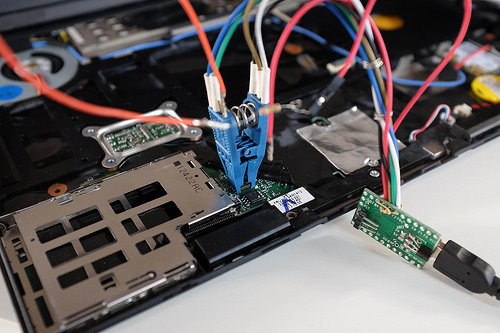
The firmware in the system’s motherboard contains the code that the CPU executes on startup. This is usually the BIOS or UEFI firmware and the complexity of it means that there are many possible attacks. Thunderstrike Too many UEFI vulnerablities to list… Intel has provided features like Boot Guard to try to verify signatures on the firmware; its ACM runs on the CPU at reset. When the platform is provisioned with a Boot Guard profile that includes measurement, the ACM measures the Key Manifest, Boot Policy Manifest, Initial Boot Block and policy data into the TPM PCR 0 at locality 3; the verified boot profile instead halts the boot process upon signature failure (Verified Boot). Silently failing to boot is not the best approach for most applications since it is not clear why the system has not started; measured boot allows detection of the malfeasance more directly.
It is important to distinguish Boot Guard’s two modes. Verified Boot permanently fuses the OEM’s public key into the chipset – if the firmware is not signed by that key, the system refuses to boot. This prevents the user from installing coreboot or any alternative firmware, and is typical of “Enterprise Security” which prioritizes vendor control over user autonomy. Measured Boot, by contrast, merely records the firmware hash into TPM PCR0 so subsequent stages can check it; the user retains control. Heads works with either mode. The mode is set at the factory via field-programmable fuses and cannot be changed by the end user. The coreboot SRTM chain in PCR 2 remains the firmware root of trust. Intel Boot Guard analysis, Ermolov
Note: Where coreboot measured boot is enabled, Heads’ own coreboot SRTM chain measures into PCR 2 (CONFIG_PCR_SRTM), not PCR 0. PCRs 0 and 1 are not extended by Heads; both are read at seal time and are normally zero (PCR 0 is populated only when the platform is provisioned with a Boot Guard profile that includes measurement).
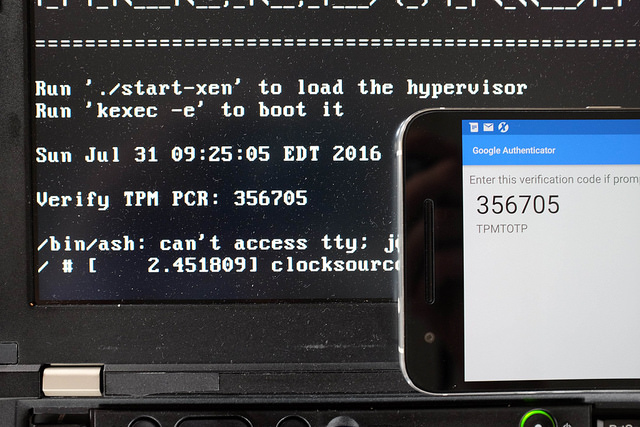
Before the user enters a disk decryption password it must prove to the user that the Measured Boot process has started the expected firmware. This presents a problem: the system can’t simply display a secret message since that could be replayed by an attacker’s firmware and the user doesn’t want to enter the password without knowing that the system is in a safe state. TPMTOTP Anti Evil maid 2 Turbo Edition, Matthew Garret 2015 and Beyond anti evil maid addresses this by using the Time-based One-time Password Algorithm (TOTP) to compute a function on a shared secret and the current time, which allows the user to verify the output on a second mobile device or TOTP display token.
Trammell Hudson ported mjg59’s tpmtotp to run from inside the boot ROM of a Thinkpad x230 using CoreBoot with a Linux payload. This provides attestation that the firmware hasn’t been tampered with, since the TPM won’t unseal the secret to used in the TOTP HMAC unless the PCR values match those expected for the ROM image.
Garrett presented tpmtotp at 32c3 but Trammell Hudson felt that it ran “too late” – the system has already fetched the kernel and initrd from the disk and potentially had the chain of trust compromised. Since my version of code is executed from the difficult-to-write SPI flash ROM and the read-only boot block initializes the root of trust with measurements of itself as well as the rest of the ROM, it is much harder to compromise.
Additionally, since my ROM image is very size constrained, Heads didn’t want to use OpenSSL and liboath and all of the other dependencies. My branch replaces them with mbedtls and my own TOTP code, which reduces the size of the executables from 5MB to 180KB. The source is available from github.com/osresearch/tpmtotp and has since been merged into the Heads project.
Note on TPMTOTP attestation and GPIO reset attacks: On Intel platforms where coreboot does not lock the PCH GPIO pad configuration, an attacker with OS-level code execution can reset the TPM and forge PCR measurements, bypassing TPMTOTP and HOTP attestation. The TPM Disk Unlock Key with passphrase is not affected. See the Per-Board Protection Status section below for which boards are affected, and TPM GPIO Reset Vulnerability for technical details.
The UEFI firmware itself is also of great concern: is a very large code base and most system firmwares are built from closed-source forks of the edk2 tree. This presents a problem for trusted systems since it is not possible to knows what else was included in the ROM image. Some vendors ship malware in the firmware like Computrace Good Software can go Bad, Kaspersky 2014 and others bundle rootkits into the boot rom Lenovo caught using rootkit to secretly install unremovable software, Khandelwal 2015 . Some vendors provide signed hashes for validating that the firmware hasn’t been tampered with, but this is just as opaque to the end user Baked-in Lenovo Trusted Platform Assurance Helps Establish a Secure Foundation for Workloads (Jill Caugherty, 2015) .
Additionally there are many other things that we would like to do before handing control over to the OS on the harddrive and would like to develop them in a comfortable open source environment. CoreBoot addresses both of these concerns by building a Linux kernel that is flashed into the system’s boot ROM in place of the UEFI image. There is still a need for some closed-source blobs (Intel’s MRC and ME firmware, for instance), but the bulk of the vendor provided code is gone. Instead of a boot loader like Grub, coreboot can invoke a Linux kernel stored in ROM with its own immutable ROM file system. This kernel and runtime is the bulk of Heads and is responsible for implementing the rest of the verification steps like tpmtotp and verifying the next stages before kexec()‘ing the real OS.
Finally, once coreboot has been flashed into the ROM, the write protect pins on the ROMs can be shorted to ground as an extra layer of protection. This prevents any software re-writes of the ROM, even from the Management Engine or other devices on the SPI bus. We do have to trust that the SPI Flash Chips don’t have any backdoor write commands; for the extra paranoid new chips can be soldered in place of the vendor supplied one and covered in epoxy to prevent easy replacement by attackers.
A critical architectural point: on boards with coreboot measured boot, the security of the entire measured boot chain depends on the integrity of the first measurement, the code that performs the initial extend() into PCR 2; boards with TPM init but no coreboot SRTM, and boards without a TPM, have no such PCR 2 chain. If an attacker can modify that initial measurement code (the bootblock), they can forge all subsequent PCR values to match expected measurements while booting malicious firmware. This is why Heads runs from SPI flash with hardware write protection and why Boot Guard Measured Boot (which measures the Key Manifest, Boot Policy Manifest, IBB and policy data into PCR 0 at locality 3) is a valuable complement where the platform is provisioned with a profile that includes measurement.
File systems
To be written: read-only root, dm-verity, TPM anti-rollback counters, signed kernels, etc.
Threat Model
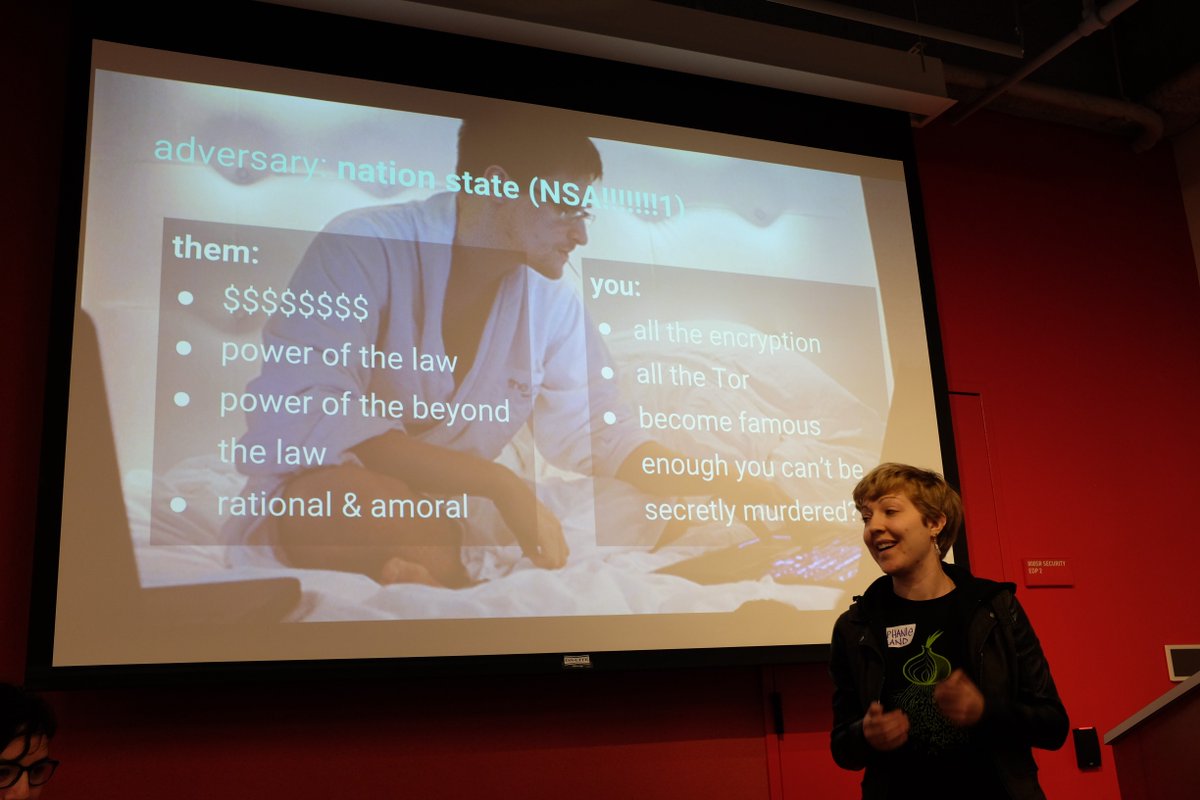
This section needs to be expanded to describe different threat models for different users. As @corcra says, “your threat model is not my threat model but your threat model is ok”. The EFF has written the Surveillance Self-Defense guide that has a good introduction to generating threat models, as well as a threat modeling activity handout for understanding the process. The Center for Investigative Journalism has a good four part article on threats/defences , basic physical modifications, advanced modifications and replacing the BIOS .
Goals of the attacker
- Monitor the user’s communications
- Exfiltrate data from running system
- Recover data from a shutdown system
- Masquarade as the user
- Install unauthorized software
Capabilities of the attacker
- Shoulder surf
- Attempt phishing attacks
- Eavesdrop on network communications
- Inject packets into network
- Attempt to exploit software bugs
- Overtly gain temporary exterior physical access to the system
- Covertly gain temporary external physical access
- Read memory from the system (DMA attack)
- Covertly gain temporary internal physical access
- Read memory from the system (cold boot attack)
- Gain long term physical access to the system
- Install new firmware in devices
- Install new firmware on the logic board
- Install hardware on the various buses
- Monitor RF emissions
- Replace CPU with unfused model to disable security features
- Decapsulate security chips, read secrets
- Backdoor security chips
- Sign Intel ME firmware or ACM sections
External Threats
- Phishing
- Snooping
- Spear phishing
- Supply chain
- Corporate
- Local gov’t
- National
Tradeoffs
- Physical modifications vs off-the-shelf hardware
- Configuring TPM, secret sharing, etc
- #goodbios requires non-trivial hardware mods
- Heavily modified system reveals that the system is worth protecting
- The opposite of Tails
Upgradability vs Immutability
- Preventing any software upgrades prevents remote attacks
- TPM secrets need to be migrated to the versions
- “Forever day” bugs if updates can’t be applied
- Epoxied chips make it hard to replace
Availability vs Security
- Erase keys immediately upon suspicion of breach
- At risk of accidental leak if attacker has physical access
- Secret sharing for key restoration can help recover
Connectivity vs Risk of leaks
- Disable all external devices
- But what about cameras, music players, etc?
- Untrusted wifi networks can be useful, but potentially risky
Extensibility vs Trusted code
- Allowing arbitrary code installation creates new attack surfaces
Storage root keys with secret sharing.
Internal Threats

The insider threat is not included in many threat models, but must be considered for certain applications. This is a difficult threat to counter since the attacker has unfettered physical access to the machine, knows all of the authentication keys and has the two factor tokens. Additionally an adversary might try coerce a user to unlock the device, decrypt the drives, etc.
Insider threats fall into a few main categories. Some worth considering are data exfiltration, sabotage and rouge system administrators.
The exfil case ranges from attempts to copy data to removable media to physical hardware attacks to try to extract keys from hardware. If the system is correctly configured all access to media devices will be denied and the network access will be limited to prevent connections that don’t pass through a logging proxy or VPN. Hopefully the hardware containing the actual keys will be tamper proof or the counter measures sufficient to prevent access to the keys (epoxy on key parts, case intrusion switches to zero TPM secrets, etc).
Qubes can compartmentalize the various guests so that one containing secretive topics can be isolated from one that is running untrusted user code. Its window manager prevents compartments from taking screen shots of other compartments and the memory isolation prevents data copying between them.
If the hardware is sufficiently hardened, the user will be reduced to taking photographs of data on the screen. At that point there isn’t much that can be done.
Coercion shouldn’t matter since the protections desired against the normal insider threats should prevent a coerced insider from exfiltrating the data, but sabotage is harder to deal with. Forcing all data through logging proxies and VPN can track when things are added, but subtle attacks might be very hard to detect.
System administrators – two key model for signing and configuring? Need to think more on this.
Enterprise Security vs Cypherpunk Security
Heads is not designed for “Cover” or “Concealment” COMSEC beyond encryption (PDF) - gruqg and rantyben, 2014 – using tools like Heads, Qubes and having heavily modified laptop hardware might provide more security than a Macbook, but might also attract more attention than a stock machine. Qubes provides software based Compartmentalization and Heads should provide good Confidentiality and Integrity through TPM protected keys, signed read-only filesystems with rollback prevention, etc. Depending on your threat model this might not be the best tradeoff: Heads can help protect your system against a business competitor, but there is no “NSA proof toolkit” that can stop a nation state from making you have a very bad day.
It is critical to understand that not all “security” technologies serve the same goals. Enterprise Security prioritizes protecting corporate assets and often does so by granting a centralized authority (the OEM, the IT department, a managed security provider) control over the device – even if that means stripping agency from the end user. Secure Boot and Intel AMT are examples: they can prevent unauthorized firmware, but they also prevent the user from running alternative firmware and may grant remote access to third parties.
Cypherpunk Security, by contrast, prioritizes individual autonomy. It aims to give the user – not a vendor or government – verifiable control over their own device. Heads embodies this approach: the user provisions their own GPG signing key (preferably on an external hardware token such as a Nitrokey or Librem Key), and all firmware and boot configuration updates must be signed by that user-controlled key. This is fundamentally different from Secure Boot, where the OEM controls the key hierarchy and the user must trust that the OEM’s key management practices are sound – which historically they have not been.
Heads repurposes TPM technology – which was originally designed for Enterprise DRM and remote attestation against the device owner – and uses it to give the owner verifiable integrity guarantees. Since Heads controls the platform from the first instruction the CPU executes (the bootblock in SPI flash) and brings up the TPM early in the coreboot boot path, it can use the TPM’s seal/unseal and PCR extend operations to protect user secrets, not corporate secrets.
This distinction should inform every decision in your threat model: technologies designed for Enterprise Security may actively undermine Cypherpunk Security goals. When evaluating any security mechanism, ask: who holds the keys, who benefits from the trust model, and does it increase or decrease user autonomy?
Countermeasures
Hardware
- Case intrusion switches flush TPM
- Write protect pins on flash chips
- Disabling/Removing of devices with writeable firmware
- Self-encrypting disks? (S3 issues)
- Epoxy in ports
- Epoxy on chips
- Glitter nail polish on case screws for tamper evidence (use the Blink Comparison app to verify screw seal photos over time)
- Tamper-evident storage: transparent container with lentil/bean mosaic, photographed for later comparison (dys2p guide)
Firmware
Lenovo X1 Carbon
- Measured Boot (only where the platform is provisioned with a profile that includes measurement): Boot Guard measures the Key Manifest, Boot Policy Manifest, IBB and policy data into TPM PCR 0; the coreboot SRTM chain measures into PCR 2.
- CoreBoot with reproducible builds
- TPM sealed drive keys
- TPMTOTP to attest firmware state to user
- Remote attestation of TPM state
- Signed or “known good” firmware blobs
System Software
- Hypervisor based compartmentalization
- Locked down compartment configuration
- Encrypted compartment disk images
- Two Factor auth
- Biometric auth
- TRESOR to avoid coldboot
- VPN tunneled enclaves
- SGX Enclaves
- TXT system config
CPU Vulnerabilities and Microcode
With the disclosure of the Spectre and Meltdown vulnerabilities in January 2018, it became apparent that most processors manufactured since the late 1990s can potentially be compromised by attacks made possible because of transient execution CPU vulnerabilities. For a broader timeline of firmware and hardware security flaws, see the firmware security flaws timeline. Modern CPUs utilize speculative execution in order to increase performance. A branch misprediction may leave observable side effects that may reveal private data to attackers using a timing attack. Future not-yet-identified vulnerabilities of this kind is likely. For users of Qubes OS, this class of vulnerabilities can additionally compromise the enforced isolation of virtual machines, and it is prudent to take the risks associated with these vulnerabilities into account when deciding on a platform on which to run Heads and Qubes OS.
Since Spectre/Meltdown, researchers have disclosed a steady stream of transient execution and microarchitectural side-channel vulnerabilities affecting Intel platforms, many of which Heads-supported hardware may be exposed to:
- 2018: BranchScope – attacks the directional branch predictor to infer victim branch decisions, including inside SGX enclaves.
- 2019: Microarchitectural Data Sampling (MDS) – RIDL, Fallout, ZombieLoad leak data from CPU-internal buffers.
- 2020: CacheOut (CVE-2020-0549) – bypassed Intel’s MDS microcode mitigations by recovering L1 cache evictions from leaky buffers; CrossTalk (CVE-2020-0543) – demonstrated cross-core transient execution leaks via a shared staging buffer, including SGX key extraction.
- 2022: Branch History Injection (BHI, CVE-2022-0001) and Post-Barrier RSB (CVE-2022-26373).
- 2024: Branch Privilege Injection (BPRC, CVE-2024-45332) – disclosed in QSB-107, affecting CPUs back to 7th Gen Intel Core.
- 2025: Multiple Intel CPU CVEs (CVE-2025-48800, CVE-2025-48003, CVE-2025-48804, CVE-2025-48818).
Beyond transient execution, several recent firmware-level vulnerabilities are directly relevant to Heads platforms:
- UEFI BootHole (2020, CVE-2020-10713): vulnerability in GRUB2 allowing Secure Boot bypass; while Heads does not use GRUB, defensive awareness of the bootloader attack surface is relevant.
- BlackLotus UEFI bootkit (2023, CVE-2022-21894): the first in-the-wild UEFI bootkit bypassing Secure Boot on fully patched Windows 11 systems, demonstrating that UEFI firmware trust models remain fragile.
- LogoFAIL (2023): exploitable image parsing flaws in UEFI firmware logo display code across all major IBVs (AMI, Insyde, Phoenix), allowing arbitrary code execution during boot – hundreds of consumer and enterprise devices affected.
- TPM 2.0 SRTM design flaw (2023): attacks exploiting power management to reset and forge Platform Configuration Registers, bypassing measured boot on TPM 2.0 systems.
- Intel microcode downgrade (2019): vulnerability in the UEFI microcode loader allowing an attacker to downgrade CPU microcode to a vulnerable version, thereby re-exposing patched vulnerabilities in Boot Guard ACMs, TXT SINIT modules, and BIOS Guard.
- Intel CSME/PCH vulnerabilities: unsigned code execution in the Management Engine (CVE-2017-5705, Intel ME v11+) and SMM TOCTOU races (CVE-2022-21198), affecting Skylake and newer platforms.
Mitigation of these vulnerabilities is achieved through a combination of microcode updates for the CPU and software mitigation techniques. For linux systems, software mitigation includes the implementation of retpolines and kernel page-table isolation. However, some of the vulnerabilities of this class cannot be effectively mitigated without updated CPU microcode.
Heads is built as a payload for coreboot, which includes the latest available microcode updates for CPUs on supported platforms. However, Intel has stated publicly they will not release further microcode updates for products they consider discontinued and unsupported. This includes processors from the Sandy Bridge and Ivy Bridge line of CPUs. Notably this means all ThinkPad models supported by Heads will most likely not receive further microcode updates to protect against future vulnerabilities of this class. A list of current vulnerabilities and whether microcode updates are available is provided by Intel. AMD is less affected by these vulnerabilities because speculative execution is implemented differently.
About the EOL_ board prefix: Boards whose CPUs have reached end-of-life for microcode updates are prefixed EOL_ (End Of Life) in the Heads boards/ directory. This is a visual cue that the platform will receive no further microcode fixes for newly discovered transient execution vulnerabilities.
The deal was broken by QSB-107 (May 2025) – which disclosed Branch Privilege Injection (BPRC; CVE-2024-45332) and other branch prediction vulnerabilities. COMSEC (ETH Zürich) demonstrated that BPRC affects CPUs as far back as 7th Gen Intel Core, but Intel itself no longer assesses those models because they’ve passed their ESU date. The QSB puts it bluntly:
“Intel assesses whether a vulnerability affects a given CPU model only if that model still receives microcode updates. Therefore, if a given CPU model no longer receives microcode updates, one should not infer that a vulnerability does not affect that model merely because Intel does not report it as affected.”
This confirmed that relying on Intel’s microcode support lifecycle leaves a growing gap: transient execution vulnerabilities keep being discovered, but CPUs past their ESU date silently drop off Intel’s assessment radar – they’re not patched, not even evaluated.
Important nuance – not all 8th Gen CPUs are the same:
See BOARDS_AND_TESTERS.md for the authoritative per-generation EOL/ESU status.
Current firmware note: As of 2025-05, coreboot’s 3rdparty/intel-microcode was updated to the 202505 revision. However, CircleCI-produced Heads images use the coreboot version at build time, which may not include the latest microcode. The OS must load the microcode update early (via initramfs) for QSB-107 mitigations to take effect – this is especially relevant for LiveOS images that may not include the updated microcode.
For example, EOL_x230-maximized/ indicates the 3rd Gen Ivy Bridge CPU on that board is no longer supported by Intel. Boards without the EOL_ prefix (e.g., novacustom-v560tu/) still receive microcode updates. See the table above for per-board EOL/ESU dates.
Mitigation on EOL Platforms
The only reliable mitigation on platforms past their ESU date is to ensure no secret is present in memory (trusted workflow) in parallel with untrusted workflows:
- Run a single trusted workflow per boot session, ideally without any secrets remaining in memory – for example, running Tails from a live CD without providing it with any disk decryption passphrase.
- Proper OPSEC when running Tails: Tails is a live system running entirely from RAM, designed to leave no forensic trace. However, as the anarsec guide notes: “Tails will not protect you from human error, compromised hardware, compromised firmware, being hacked, or certain other types of attacks.” This is precisely why Heads + Tails is a defense-in-depth strategy – Heads protects the firmware and hardware integrity, while Tails provides anti-forensic operation. Use a Tails USB with a write-protect switch to prevent a compromised session from modifying the Tails USB itself. Minimize secret exposure duration – reboot before switching tasks. When in doubt, reboot.
- Proper OPSEC for Memory use on QubesOS: Qubes OS provides compartmentalization that mitigates malware, but does not have anti-forensic properties – data persists on disk. Use disposable qubes for short-lived tasks; always consider the disk decryption key in memory at risk. The Qubes OS for Anarchists guide recommends Qubes for everyday computing (better malware resistance) and Tails for sensitive work (better forensics protection). See their comparison of when to use Tails vs Qubes OS.
On systems affected by QSB-107 and lacking updated microcode, any untrusted application running in a qube could potentially exfiltrate sensitive memory content at a rate of as fast as 5.6 KiB/s.
See BOARDS_AND_TESTERS.md for the authoritative per-board EOL/ESU status.
Operating systems (e.g. Qubes OS) can mitigate some of these vulnerabilities by other means. An example is the SRBDS vulnerability, where the Xen hypervisor can apply a workaround to mitigate the vulnerability for Ivy Bridge CPUs, which will not receive any microcode update. It is uncertain whether such mitigations are possible in the future without microcode updates supplied from the CPU manufacturer.
The impact on performance as a result of software and microcode mitigations vary between systems and the type of workloads involved. Compared to a system not applying any mitigation measures, a conservative estimate is that the percentage of lost performance is in the low double digit range. Furthermore, as part of mitigating the L1TF vulnerability, Qubes OS disables HyperThreading by default. This has a notable impact on performance in itself, effectively halving the number of cores visible to the system, but is implemented to minimize vulnerability.
Binary Blobs, ME, and Peripheral Firmware
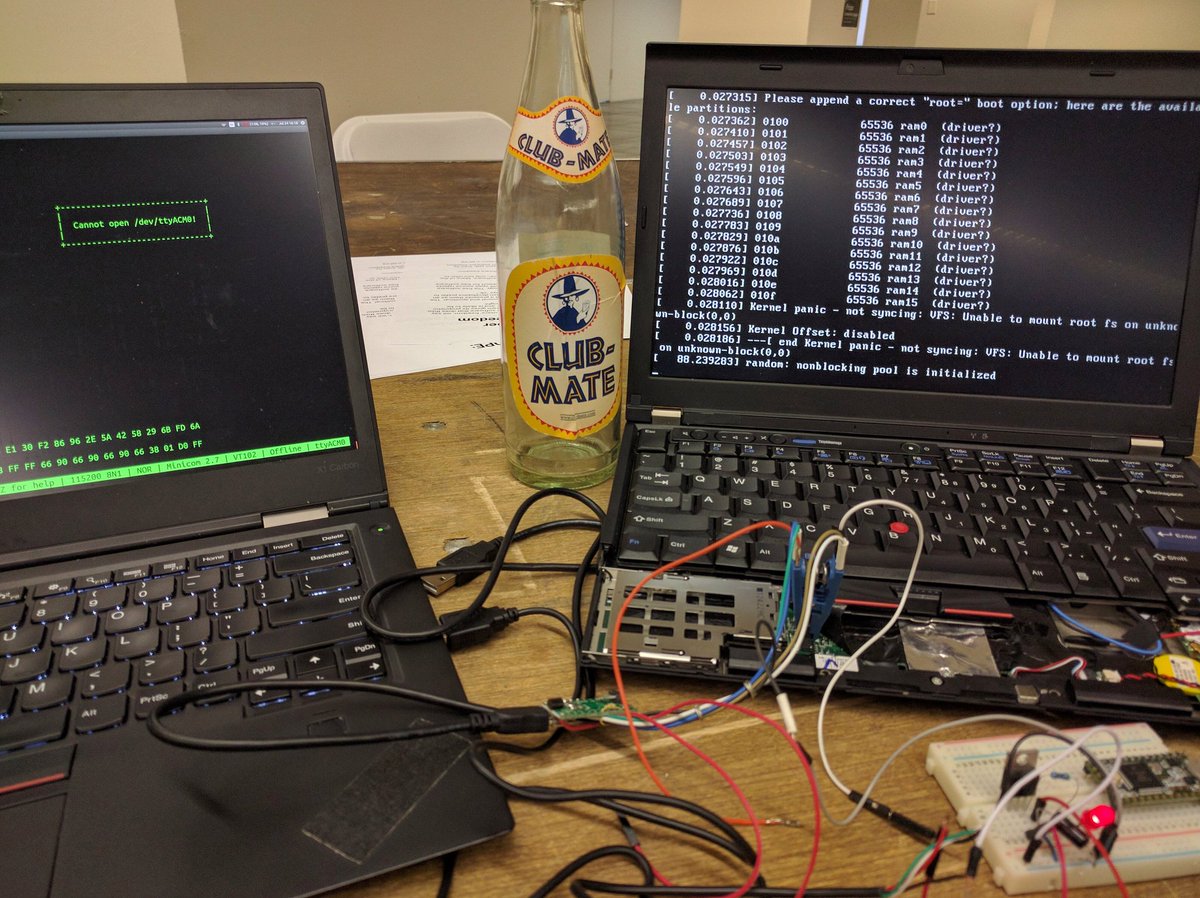
The Intel Management Engine (ME) is unfortunately a trusted component in the boot process as well as during special execution modes like TXT. The firmware for it is stored in the boot ROM, but it is opaque and undocumented outside of Intel, so we can’t know what it is doing. It implements “Active Management Technologies” (AMT) that allow remote control of the system, which represents a fairly significant threat to security. Some projects, like Libreboot, do not trust it at all and only support older CPUs without ME hardware.
In a re-uploaded Intel promotional video (originally recorded ~2012-2016), Intel Principal Engineer Ylian Saint-Hilaire pitched AMT as a remote management feature, describing a co-processor that remains accessible even when the computer is off:
“…you can talk to this little processor even if the computer is off… you can access this little web server and load web pages and you can power up the computer, power it off, you can manage it, you can even reformat it remotely…”
“…it’s kind of a little bit of a hacker software [inside the motherboard]… but it’s a hacker software that’s extremely secure and that only the person that’s authorized to access it can access it.”
Intel’s pitch – always-on remote access, opaque firmware, and security-by-design claims – is precisely what makes ME a threat: an un-auditable, network-connected co-processor with full memory access that the owner cannot inspect or disable.
In server machines there is a “Board Management Controller” (BMC) that handles booting the system and remote console over ethernet. In order to do this it has access to the keyboard and video of the console, as well as access to all of the sensors and power systems on the motherboard. This firmware is typically closed source and occasionally updated, although modern BMC are built with Linux and share a large number of Linux vulnerabilities. If the BMC is compromised it is in a very priviledged position to attack the host system and exfiltrate data. Facebook has started the OpenBMC project for their servers to allow them to have a faster patch and deploy cycle.
Peripheral Firmware
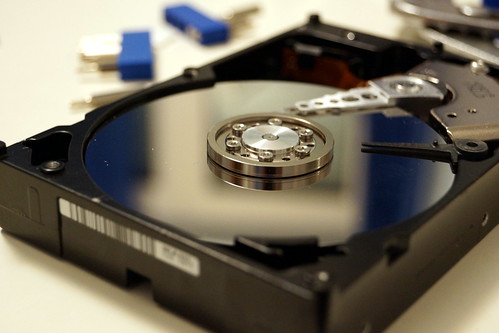
Self Encrypting Disks (SED) are one layer of protection against certain threats, but they can’t be entirely trusted. The firmware on the disks is difficult to audit and researchers has found malware in some drives. HDD Hacking, Sprite_tim 2014 However, software disk encryption can reduce the malware threat since the drives won’t have access to cleartext data and proper setup of the IOMMU can prevent the drive from accessing memory outside of the encrypted buffer cache. Most SED hardware doesn’t work well with S3 resume, so it is hard to use with mobile devices (although this is an area where the coreboot/Heads runtime might be able to take over in the S3 resume path).
“Replay attacks” are possible against the system even with entirely encrypted disks. Better filesystems might help – SGX style Merkel tree that uses the TPM monotonic counter to prevent rollback is one option. This might not matter in practice since the user could detect that things have reverted. Plus other defenses should help prevent the adversary from being able to modify the entire disk. Tools like dm-verity can be used with read-only filesystems to ensure that only signed code is executed from the disk dm-verity: device-mapper block integrity checking target - Milan Broz .
Cleartext data should never be presented to the NIC, so it shouldn’t be able to do much exfiltration. Custom firmware like Thundergate Thundergate - an open source toolkit for PCI bus exploration or NICssh Project Maux II (PDF) - Triulzi, 2008 allow potentially malicious code to run on the NIC, so again it is important to configure devices like the IOMMU to prevent random read/writes to system memory from occurring. Where possible the write protect pins on the devices should be hard wired to prevent software updates, although physical attackers might still be able rewrite the firmware.
Blobs, EC Firmware, and FSP
The ThinkPad boards supported by Heads are mostly free of binary blobs, with the exception of the Intel Management Engine (which can be “neutered” or minimized) and the ethernet blob (which can be generated). CPU microcode can also technically be considered a binary blob.
The Embedded Controller chip (EC) also uses its own firmware. The chip is responsible for certain system tasks not handled by the operating system, such as keyboard hotkeys, thermals, hardware toggle switches etc. It should be noted that the EC can only be updated as part of the proprietary Lenovo BIOS update. It is therefore advisable to flash the latest Lenovo BIOS prior to flashing Heads, in order to have an up-to-date EC. It is possible to make certain changes to the EC by modifying the official Lenovo BIOS update before flashing, e.g. to allow for a classic 7-row keyboard in the X230. coreboot/Heads will not touch the EC.
Newer hardware platforms like the Librem line of computers, while great care has been taken by Purism to minimize blobs, still contain the closed-source Intel FSP (Firmware Support Package, needed to initialise memory/silicon). However, the CPUs used in these computers are newer, and thus will perceivably receive microcode updates for some time. They generally also allow for more RAM and arguably more modern hardware in general.
When choosing a platform for Heads/Qubes OS, the user must make an informed decision on whether the presence of binary blobs and potential security benefits in future microcode updates outweigh the desirability of maximum control over the firmware on the hardware platform. In addition, the user must take into account the limitations on hardware performance by the various supported boards, and whether the potential increase in performance afforded by a more recent CPU and additional RAM is desirable to compensate for performance reductions as a result of mitigating these vulnerabilities.
Upgrades and Bug Fixes
One of the benefits of installing CoreBoot in place of the system’s existing EFI firmware is that bug fixes can be applied more quickly. Normally EFI bugs are fixed by Intel in EDK2, but there is nothing that forces vendors to pull the patches, nor do they often publish new firmware images for every platform that they have sold Discussed in more detail in Thunderstrike 2, Hudson 2015 . Since the firmware is largely closed source, end users aren’t able to fix the bugs on their own, so their older systems remain vulnerable.
Write-protecting the BIOS Chip (Advanced)
!!!! WARNING !!!! This is for advanced users only. Many of these commands have not been tested and it is uncertain what will happen if there is an error.
However, many of the countermeasures applied to harden the system against physical attacks also make it hard to upgrade the firmware. If the boot ROM’s write protect pins have been hard wired, there is nothing software can do to update the ROM image that is marked as read-only with the BP bits. The coreboot ramstage and the Heads Linux kernel/initrd can be updated if they are not covered by BP, so hopefully the romstage is small enough that it is “bug free”. Additionally, many of the secrets protected by the TPM are locked to the PCR values that result from hashing the firmware, so procedures for extracting and replacing the keys are necessary.
More information related to this can be found in Replacing the BIOS. For SPI programmer selection guidance, see the Flashing guides.
More work is necessary in this area.
Further Learning
For training on firmware security, TPM concepts, and trusted computing, see Open Security Training 2 (OST2). OST2 provides free, open-source, self-paced cybersecurity classes. Their Firmware Security learning path covers BIOS/UEFI architecture, TPM specification internals, SMM attacks, measured boot, and platform security analysis – topics directly relevant to understanding the threats Heads defends against. All course materials are released under open-source licenses (Creative Commons).
Additional resources referenced throughout this document:
- EFF Surveillance Self-Defense guide and threat modeling activity handout
- Firmware security flaws timeline (darkmentor.com)
- EFF threat modeling activity handout
- Center for Investigative Journalism: threats and defences
- TCIJ: Replacing the BIOS
- anarsec tamper-evident guide
- anarsec: Proper OPSEC when running Tails
- anarsec: Qubes OS for Anarchists
- COMSEC beyond encryption (PDF) - gruqg and rantyben, 2014
References
coreboot and Heads technical references:
- coreboot GPIO lock patch series (patches #90884, #90885, #93324, #93422)
- coreboot ticket #576 – TPM GPIO reset vulnerability
- Intel Boot Guard analysis (Ermolov)
- Intel doc 834810 (7th/6th Gen Core and Xeon E3-1200 v6 families datasheet)
- Intel consolidated list of vulnerabilities by CPU model
- Intel microcode update availability
TCG and TPM specifications:
- TPM Library Specification (TCG)
- PC Client Platform Firmware Profile Specification (TCG)
- TPM 2.0 SRTM design flaw (VU#782720)
Heads project reference documents:
- TPM GPIO Reset Vulnerability
- BOARDS_AND_TESTERS.md – Per-board EOL/ESU status
- TPM GPIO reset bypass analysis (mkukri.xyz)
- State considered harmful (Rutkowska 2015)
Key vulnerability disclosures: